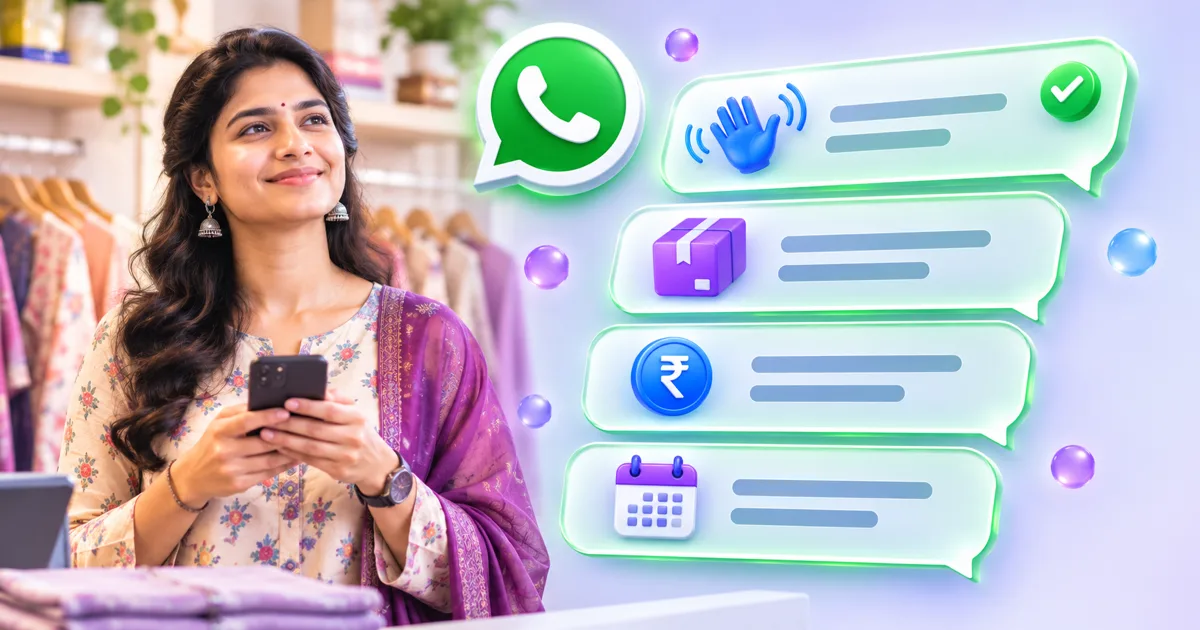
A WhatsApp message template is the pre-approved message a business sends first, outside the 24-hour window that opens when a customer writes to you. Getting one approved is mostly about being plain and specific. This page collects 50 templates for Indian businesses, grouped by industry, each tagged with the Meta category it most likely fits, and with variables written in the {{1}} style that WhatsApp expects.
How Meta sorts templates into categories
Meta's template category guidelines define three categories, and the category decides both how a template is reviewed and how it is charged.
- Utility: non-promotional messages that follow up on something the customer did or requested, or that are essential to them. Meta's examples include order confirmations, shipping updates, account alerts, opt-in confirmations and feedback surveys about a specific order. Order and account messages must not include offers, upsells or renewal requests.
- Marketing: the most flexible category, covering awareness, sales, retargeting, promotion and relationship building. Retargeting messages count as marketing even when the user asked for them.
- Authentication: only for one-time passcodes. You must use an authentication template from Meta's Template Library with a one-time password button, and follow its content restrictions. URLs, media and emojis are not allowed, and parameters are limited to 15 characters.
Two cases default to Marketing: mixed content, such as an order update that also carries a promotion, and unclear content, such as a message with only a variable or a vague line like Congratulations. If you submit a utility template that Meta judges to be marketing, it is approved as marketing instead of being rejected, which changes what each send costs. Repeated miscategorization can lead to warnings and restrictions.
The approval rules, as documented
Meta's template review page lists the following, and these are the rules most worth checking before you submit.
- Variables must be written as {{1}}, {{2}}, in order with none skipped, with no special characters such as #, $ or %. Each needs a sample value at submission.
- A template cannot start or end with a variable. Meta calls these dangling parameters and rejects them.
- Too many variables for the message length gets a template rejected. Keep the fixed text longer than the variable parts.
- Do not ask for sensitive identifiers such as full card numbers, bank account numbers or national ID numbers. Abusive or threatening content, including threats of legal action, is rejected.
- A template with the same body and footer wording as an existing one is rejected as a duplicate, except in the Authentication category.
The component limits also matter: a body can be up to 1,024 characters, a text header up to 60 characters with one variable, a footer up to 60 characters with no variables, and a button label up to 25 characters. Review decisions can take up to 24 hours.
Consent and the Business Messaging Policy
WhatsApp's Business Messaging Policy says you may only contact people who have given you their number and have opted in to hearing from you. It also says you must honour requests to stop, whether they arrive on WhatsApp or elsewhere. Collect opt-in on your order form, checkout, enquiry form or in a recorded conversation, and keep the record. Opt-in is a separate matter from template approval: a perfectly worded template sent to someone who never agreed is still a policy problem.
Three before-and-after examples
These pairs show the most common reasons a template is rejected or recategorized, and the fix.
Likely to be rejected
Likely to fit
Treated as Marketing
Utility, with the offer sent separately
Likely to be rejected
Likely to fit
Notice what the fixed versions have in common: real sentences around the variables, one purpose per message and a calm tone. They also avoid exclamation marks and urgency language, which keeps the message clear.
Talko AI keeps each template's category and status beside your inbox and broadcasts, so a rejected or recategorized template is visible before a campaign depends on it. Use whichever tool you prefer, but check the status before every send.
E-commerce and D2C templates
Order messages are Utility as long as they carry no offers. Cart and back-in-stock reminders are retargeting, so they are Marketing.
1. Order confirmation
Category: Utility. Template: “Hi {{1}}, thank you for your order {{2}}. We have received it and will confirm the dispatch date shortly. Total paid: ₹{{3}}. Reply here if you need to change anything.” Variables: {{1}} first name, {{2}} order number, {{3}} amount.
2. Shipping update
Category: Utility. Template: “Hi {{1}}, your order {{2}} has been shipped with {{3}}. Your tracking number is {{4}}. You can track it on the courier's website.” Variables: {{1}} name, {{2}} order number, {{3}} courier, {{4}} tracking ID.
3. Out for delivery
Category: Utility. Template: “Hi {{1}}, your order {{2}} is out for delivery today. Please keep your phone nearby, as the delivery partner may call you.” Variables: {{1}} name, {{2}} order number.
4. Cash on delivery confirmation
Category: Utility. Template: “Hi {{1}}, you placed a cash on delivery order {{2}} for ₹{{3}}. Reply YES to confirm the order or NO to cancel it.” Variables: {{1}} name, {{2}} order number, {{3}} amount.
5. Return request received
Category: Utility. Template: “Hi {{1}}, we have received your return request for order {{2}}. Our team will arrange a pickup within {{3}} working days and message you the pickup date.” Variables: {{1}} name, {{2}} order number, {{3}} days.
6. Abandoned cart reminder
Category: Marketing. Template: “Hi {{1}}, you left {{2}} in your cart. It is still available if you would like to finish your order. Reply here if you have questions about size or delivery.” Variables: {{1}} name, {{2}} product.
7. Back in stock
Category: Marketing. Template: “Hi {{1}}, the {{2}} you asked about is back in stock in size {{3}}. Reply YES and we will hold it for you until tomorrow evening.” Variables: {{1}} name, {{2}} product, {{3}} size.
Restaurant and cloud kitchen templates
Reservations and order updates are Utility. Dish and event announcements are Marketing.
8. Table reservation confirmed
Category: Utility. Template: “Hi {{1}}, your table for {{2}} is confirmed at {{3}} on {{4}}. If your plans change, please reply here so we can release the table.” Variables: {{1}} name, {{2}} number of guests, {{3}} time, {{4}} date.
9. Reservation reminder
Category: Utility. Template: “Hi {{1}}, a reminder that your table for {{2}} is booked for {{3}} today. We look forward to seeing you at {{4}}.” Variables: {{1}} name, {{2}} guests, {{3}} time, {{4}} outlet name.
10. Online order accepted
Category: Utility. Template: “Hi {{1}}, your order {{2}} has been accepted and is being prepared. Estimated time: {{3}} minutes. We will message you when it is on its way.” Variables: {{1}} name, {{2}} order number, {{3}} minutes.
11. Delivery partner assigned
Category: Utility. Template: “Hi {{1}}, {{2}} is bringing your order {{3}}. You can reach them on {{4}} if you need to share directions.” Variables: {{1}} name, {{2}} rider name, {{3}} order number, {{4}} rider phone.
12. Feedback after dining
Category: Utility. Template: “Hi {{1}}, thank you for dining with us on {{2}}. How was your meal? Reply with a number from 1 to 5, where 5 is excellent.” Variables: {{1}} name, {{2}} date.
13. Weekend special announcement
Category: Marketing. Template: “Hi {{1}}, this weekend our chef is serving {{2}} at {{3}}. Reply BOOK and we will reserve a table for you.” Variables: {{1}} name, {{2}} dish, {{3}} outlet.
Clinic and diagnostics templates
Keep health messages minimal. Do not put diagnoses or sensitive details in a template, and let the patient ask for more in the chat.
14. Appointment confirmation
Category: Utility. Template: “Hi {{1}}, your appointment with {{2}} is confirmed for {{3}} at {{4}}. Please arrive 10 minutes early and carry any previous reports.” Variables: {{1}} patient name, {{2}} doctor, {{3}} date, {{4}} time.
15. Appointment reminder
Category: Utility. Template: “Hi {{1}}, a reminder of your appointment with {{2}} tomorrow at {{3}}. Reply 1 to confirm or 2 to reschedule.” Variables: {{1}} name, {{2}} doctor, {{3}} time.
16. Report ready
Category: Utility. Template: “Hi {{1}}, your {{2}} report is ready. Please collect it from the front desk at {{3}} or reply here to ask us to send it to your registered email.” Variables: {{1}} name, {{2}} test name, {{3}} clinic name.
17. Reschedule notice from clinic
Category: Utility. Template: “Hi {{1}}, we need to move your appointment on {{2}} because {{3}} is unavailable. Please reply with a time that works for you from {{4}}.” Variables: {{1}} name, {{2}} date, {{3}} doctor, {{4}} available slots.
18. Follow-up check-in
Category: Utility. Template: “Hi {{1}}, it has been {{2}} days since your visit. How are you feeling? Reply here if you would like to book a follow-up with {{3}}.” Variables: {{1}} name, {{2}} days, {{3}} doctor.
19. Health camp invitation
Category: Marketing. Template: “Hi {{1}}, our clinic is hosting a health check-up camp on {{2}} at {{3}}. Reply YES to reserve a free slot for you.” Variables: {{1}} name, {{2}} date, {{3}} venue.
Salon and gym templates
Bookings, class confirmations and membership notices relate to something the customer did. Win-back and offer messages are Marketing.
20. Salon booking confirmation
Category: Utility. Template: “Hi {{1}}, your {{2}} appointment is booked for {{3}} at {{4}} with {{5}}. Reply here if you need to reschedule.” Variables: {{1}} name, {{2}} service, {{3}} date, {{4}} time, {{5}} stylist.
21. Appointment reminder
Category: Utility. Template: “Hi {{1}}, we will see you at {{2}} today at {{3}} for your {{4}}. Please reply if you will be late.” Variables: {{1}} name, {{2}} branch, {{3}} time, {{4}} service.
22. Membership expiry notice
Category: Utility. Template: “Hi {{1}}, your {{2}} membership ends on {{3}}. Reply here if you would like to know your renewal options.” Variables: {{1}} name, {{2}} plan, {{3}} date.
23. Class booking confirmed
Category: Utility. Template: “Hi {{1}}, your spot in {{2}} on {{3}} at {{4}} is confirmed. Please bring a towel and a water bottle.” Variables: {{1}} name, {{2}} class, {{3}} date, {{4}} time.
24. Missed session check-in
Category: Marketing. Template: “Hi {{1}}, we missed you at {{2}} this week. Reply here and we will help you pick a time that suits you next week.” Variables: {{1}} name, {{2}} gym or branch.
25. Festive offer
Category: Marketing. Template: “Hi {{1}}, our {{2}} offer runs till {{3}} at {{4}}. Reply BOOK and we will fix a slot for you.” Variables: {{1}} name, {{2}} offer name, {{3}} end date, {{4}} branch.
Coaching and edtech templates
Enrolment, class and fee messages are tied to an existing student. Demo invitations to new enquiries are Marketing.
26. Enrolment confirmation
Category: Utility. Template: “Hi {{1}}, welcome to {{2}}. Your batch starts on {{3}} at {{4}}. Your student ID is {{5}}.” Variables: {{1}} name, {{2}} course, {{3}} date, {{4}} time, {{5}} student ID.
27. Class reminder
Category: Utility. Template: “Hi {{1}}, your {{2}} class starts today at {{3}}. Join here: {{4}} and keep your notebook ready.” Variables: {{1}} name, {{2}} subject, {{3}} time, {{4}} class link.
28. Fee reminder
Category: Utility. Template: “Hi {{1}}, your instalment of ₹{{2}} for {{3}} is due on {{4}}. You can pay at the institute or reply here for payment help.” Variables: {{1}} name, {{2}} amount, {{3}} course, {{4}} due date.
29. Test result available
Category: Utility. Template: “Hi {{1}}, your result for {{2}} is now available in your student portal. Your mentor {{3}} will share feedback this week.” Variables: {{1}} name, {{2}} test name, {{3}} mentor.
30. Demo class invitation
Category: Marketing. Template: “Hi {{1}}, you showed interest in {{2}}. A free demo class is on {{3}} at {{4}}. Reply YES to reserve your seat.” Variables: {{1}} name, {{2}} course, {{3}} date, {{4}} time.
31. New batch announcement
Category: Marketing. Template: “Hi {{1}}, a new {{2}} batch starts on {{3}}. Reply here if you would like the fee details and syllabus.” Variables: {{1}} name, {{2}} course, {{3}} date.
Real estate templates
Visit confirmations and booking receipts are Utility. Launch and match alerts are Marketing, so send them only to people who agreed to hear about listings.
32. Site visit confirmation
Category: Utility. Template: “Hi {{1}}, your site visit to {{2}} is confirmed for {{3}} at {{4}}. Our executive {{5}} will meet you at the entrance.” Variables: {{1}} name, {{2}} project, {{3}} date, {{4}} time, {{5}} executive.
33. Site visit reminder
Category: Utility. Template: “Hi {{1}}, a reminder of your visit to {{2}} tomorrow at {{3}}. Reply here if you need the location pin or want to reschedule.” Variables: {{1}} name, {{2}} project, {{3}} time.
34. Booking amount received
Category: Utility. Template: “Hi {{1}}, we have received your booking amount of ₹{{2}} for unit {{3}} in {{4}}. Your receipt number is {{5}}.” Variables: {{1}} name, {{2}} amount, {{3}} unit, {{4}} project, {{5}} receipt number.
35. Document request
Category: Utility. Template: “Hi {{1}}, to continue your booking for unit {{2}}, please upload your signed agreement by {{3}}. Reply here if you need help with the process.” Variables: {{1}} name, {{2}} unit, {{3}} date.
36. New project launch
Category: Marketing. Template: “Hi {{1}}, we are launching {{2}} in {{3}}. Reply YES for the brochure and floor plans.” Variables: {{1}} name, {{2}} project, {{3}} location.
37. Matching property update
Category: Marketing. Template: “Hi {{1}}, a {{2}} in {{3}} has come up within your budget of ₹{{4}}. Reply here if you would like to see photos and arrange a visit.” Variables: {{1}} name, {{2}} property type, {{3}} area, {{4}} budget.
Travel and tour templates
Booking and payment messages are Utility. A post-trip feedback survey about a specific booking fits Meta's survey example, but Meta decides.
38. Booking confirmation
Category: Utility. Template: “Hi {{1}}, your booking {{2}} for {{3}} is confirmed from {{4}} to {{5}}. Your itinerary has been sent to your email.” Variables: {{1}} name, {{2}} booking ID, {{3}} destination, {{4}} start date, {{5}} end date.
39. Payment received
Category: Utility. Template: “Hi {{1}}, we have received ₹{{2}} towards booking {{3}}. The balance of ₹{{4}} is due by {{5}}.” Variables: {{1}} name, {{2}} amount paid, {{3}} booking ID, {{4}} balance, {{5}} due date.
40. Pickup details
Category: Utility. Template: “Hi {{1}}, your pickup for booking {{2}} is at {{3}} on {{4}}. Your driver {{5}} can be reached on {{6}}.” Variables: {{1}} name, {{2}} booking ID, {{3}} time, {{4}} date, {{5}} driver, {{6}} driver phone.
41. Document checklist
Category: Utility. Template: “Hi {{1}}, for your trip to {{2}} departing {{3}}, please keep your ID and the booking voucher ready. Reply here if any detail looks wrong.” Variables: {{1}} name, {{2}} destination, {{3}} date.
42. Seasonal package announcement
Category: Marketing. Template: “Hi {{1}}, our {{2}} package to {{3}} is open for {{4}}. Reply here for the itinerary and available dates.” Variables: {{1}} name, {{2}} package, {{3}} destination, {{4}} travel month.
43. Post-trip feedback
Category: Utility. Template: “Hi {{1}}, we hope your trip to {{2}} went well. Please tell us how your booking {{3}} went by replying with a number from 1 to 5.” Variables: {{1}} name, {{2}} destination, {{3}} booking ID.
Services and agency templates
Service visits, invoices and project updates are Utility. Review requests and quote follow-ups are promotional in nature, so label them Marketing.
44. Service booking confirmed
Category: Utility. Template: “Hi {{1}}, your {{2}} visit is booked for {{3}} between {{4}}. Our technician {{5}} will call before arriving.” Variables: {{1}} name, {{2}} service, {{3}} date, {{4}} time window, {{5}} technician.
45. Proposal sent
Category: Utility. Template: “Hi {{1}}, we have emailed the proposal you asked for on {{2}}. Please reply here with any questions and {{3}} will respond today.” Variables: {{1}} name, {{2}} project, {{3}} account manager.
46. Invoice due reminder
Category: Utility. Template: “Hi {{1}}, invoice {{2}} for ₹{{3}} is due on {{4}}. Reply here if you need a copy of the invoice or have a question about it.” Variables: {{1}} name, {{2}} invoice number, {{3}} amount, {{4}} due date.
47. Project milestone update
Category: Utility. Template: “Hi {{1}}, the {{2}} milestone for your project {{3}} is complete. The next step is {{4}} and we will confirm the timeline by {{5}}.” Variables: {{1}} name, {{2}} milestone, {{3}} project, {{4}} next step, {{5}} date.
48. Google review request
Category: Marketing. Template: “Hi {{1}}, thank you for choosing {{2}}. If you are happy with our work, a short Google review helps other customers find us: {{3}} If anything went wrong, reply here and we will fix it.” Variables: {{1}} name, {{2}} business, {{3}} review link.
49. Quote follow-up
Category: Marketing. Template: “Hi {{1}}, we sent you a quote for {{2}} on {{3}}. Reply here if you would like to adjust the scope or discuss the price.” Variables: {{1}} name, {{2}} service, {{3}} date.
Authentication template
Authentication is the narrowest category and the only one that can carry a one-time passcode.
50. One-time passcode
Category: Authentication. Template: “{{1}} is your verification code.” Variables: {{1}} the code. Meta's Template Library supplies the wording and the copy-code or one-tap button, so treat this as the shape of the message, not text to type in yourself.
Writing your own: a short checklist
Your working checklist
Before you submit any template
Tick the steps you have checked. This worksheet stays on this page and does not change your account.
0 of 6 steps checked
Completing this list is a planning aid, not a certification or proof of performance.
Name templates in lowercase letters and underscores, for example order_shipped_update, and add a language code. Meta does not translate template text, so write each language version yourself. If a template is rejected, you can edit and resubmit it or appeal, and the reason appears in Business Support Home and by email.
India-specific details are worth adding to your own copy: write amounts with the rupee sign, dates in the format your customers use, and a phone number or address where a person can be reached. Keep your business name and contact details consistent across your WhatsApp profile and your templates.